


Grocery Outlet Bargain Market
4.62.58K Reviews
App Specs
- Version
- 7.2.0 (732)
- Updated On
- License
- Free
- Downloads
- 500,000+
- Developer
- GROCERY OUTLET HOLDING CORP.
- Categories
- Shopping
- Platform
- Android
Screenshots
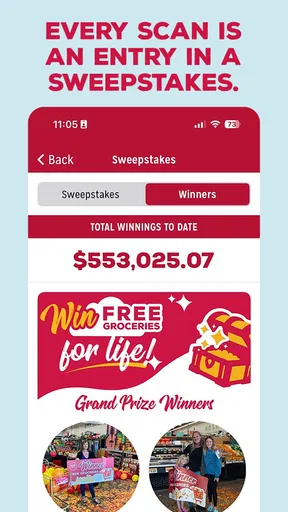
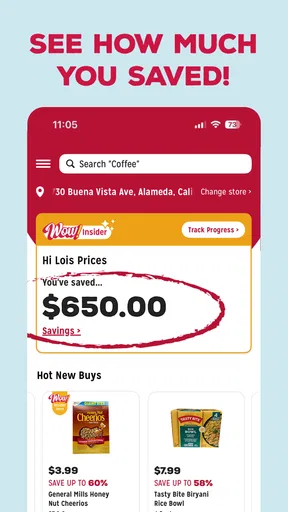
 Analysis by AppCompare
I like grocery apps most when they solve a practical problem without asking me to rebuild my entire shopping routine. Grocery Outlet Bargain Market takes that approach. It is a free shopping app from GROCERY OUTLET HOLDING CORP., designed around the chain’s bargain-focused grocery experience rather than trying to become a complete replacement for every supermarket tool. After spending time with it, I see its main value in helping shoppers stay connected to nearby store information, plan a visit, and make better use of a retailer whose selection can change from one trip to the next.
That last point matters. Grocery Outlet is not the kind of store where I expect every item to be permanently available. The appeal is discovering discounted groceries, household products, and seasonal finds, while accepting that the exact contents of the shelves can vary. The app fits that reality better than a conventional supermarket app built around a stable catalog. It works best as a companion to flexible shopping, not as a promise that every item on a wish list will be waiting.
How I use it before and during a grocery trip
My basic workflow starts before leaving home. I use the app to orient myself around the Grocery Outlet shopping experience, then decide whether the trip is worth making for the type of items I need. That is a more realistic use than treating it like a traditional online grocery basket. If I have a rigid meal plan that depends on one specific brand or product, I still keep a conventional supermarket in mind as a backup. If I am willing to compare options and adjust the menu, this app becomes much more useful.
The store summary presents the central reason to try it: the possibility of saving roughly 40 to 70 percent on groceries. I would not interpret that as a guaranteed reduction on every purchase. The practical lesson is to approach the store with an open basket. I might go in looking for breakfast supplies and leave with a different cereal, an unexpected snack, or a freezer item that changes the week’s plan. The app supports that bargain-hunting mindset, but it does not remove the need to make decisions in the store.
For a realistic weekday example, imagine that I need ingredients for several quick dinners and a few lunch items. I check the app before heading out, review the store-related information available to me, and make a short list divided into essentials and flexible choices. Essentials might be milk, eggs, or a particular dietary staple. Flexible choices could include pasta sauce, frozen vegetables, snacks, or a dessert. That division prevents a common mistake: assuming a discount-focused store will reliably match a highly specific shopping list.
Once I am shopping, I use the app as a reference rather than staring at the screen in every aisle. I compare what is actually available with my flexible list and keep the must-buy items separate. This sounds simple, but it is one of the most effective habits for this retailer. The app can help me prepare; the physical store still determines the final selection. People who enjoy bargain discovery will probably find that combination satisfying, while shoppers who want a fully predictable pickup order may find it less convenient.
What the app is really good at
The strongest use case is preparation for a flexible visit. It can help someone who wants to shop economically without committing to one large weekly supermarket run. I also see value for households that already visit Grocery Outlet and want a more organized way to keep the retailer in their routine. Instead of relying only on memory, I can check the app before a trip and decide whether it fits that day’s needs.
Worth Reading Before You Choose

EA SPORTS FC Mobile 26 Is a Bigger Football Game, but It Takes Time

Flipboard Shows What News Apps Must Do Beyond the Feed

Switching to Android Auto Means Rethinking Your Driving Routine

Google Calendar Makes a Crowded Week Easier to Manage

Ludo King Makes the Most of the Minutes Between Plans

Baby Panda World Brings Quick Play to Modern Phones, but Its Game Library Feels Busy
It is also a reasonable option for people who enjoy comparing prices in person. Grocery Outlet’s bargain model rewards attention: a product may be a worthwhile buy because the price is attractive, while another item may not be a better deal than what I already purchase elsewhere. The app does not replace that judgment. In my experience, the best savings come from combining app preparation with a simple rule: buy the deal only when it is something I will actually use.
That rule is especially important for larger households. A low price can encourage impulse purchases, and an assortment of interesting products can make a quick trip expand. I get more value when I arrive with a spending limit and a short priority list. The app helps me get ready, but it cannot make the discipline decision for me.
Settings and account habits worth checking
I recommend taking a moment to review the app’s available settings after installing it, especially anything connected with store selection, account details, notifications, and privacy choices. The useful principle is not to enable every option automatically. I prefer keeping only the alerts that support a real shopping habit. If an alert helps me remember to check the app before a planned visit, it earns its place. If it simply adds noise, I turn it off.
Store selection deserves attention because the most useful information is local. A shopper who moves between neighborhoods, travels for work, or visits family may need to confirm which store context is active before relying on what the app displays. I treat that as a quick pre-trip check, much like confirming the address in a map app. It takes little time and reduces the chance of preparing around the wrong location.
I also avoid assuming that an account or app setting will turn Grocery Outlet into a full online supermarket. The app’s role is tied to the retailer’s shopping experience, so I look for practical store information and planning help rather than expecting every conventional delivery feature. This distinction answers an important question for new users: should you install it if you want groceries brought to your door? I would choose a dedicated delivery service when delivery is the main requirement. I would choose this app when I am comfortable visiting the store and want to make that visit more informed.
On an older phone, compatibility is less of a concern than with many newer shopping tools because the app supports Android 7.0 and later. That makes it accessible to people who do not replace their device frequently. The current release is version 7.2.0, build 732, so I would still keep it updated through the normal app store process. Updates can matter for stability and store information even when the app’s basic purpose remains familiar.
Small shortcuts that make repeat visits easier
My favorite shortcut is to prepare two lists instead of one. The first contains items I genuinely need. The second contains categories where I am willing to substitute. For example, I might write “any plain yogurt” rather than one exact brand, or “one freezer vegetable” rather than a named package. This approach matches the way Grocery Outlet shopping works and prevents the app from becoming a source of frustration when a particular product is not part of the current assortment.
A second useful habit is checking the app at two different moments: once when I am planning the week and again shortly before I leave. The first check helps me decide whether Grocery Outlet belongs in the plan. The second helps me account for changes in my schedule, store choice, or priorities. I do not treat either check as a guarantee of shelf availability. Instead, I use them to make the trip more intentional.
For people who shop with another family member, I find it helpful to agree on the flexible categories in advance. One person can handle essentials while the other looks for worthwhile substitutions. This works better than sending someone into the store with a long list of exact products. The app becomes a shared planning reference, while the in-store decision remains collaborative.
Another practical shortcut is to group the trip by purpose rather than by brand. I might plan for breakfasts, packed lunches, and quick dinners instead of listing ten individual products. That gives me room to take advantage of bargains without losing control of the meal plan. It also makes the app more useful for budget-conscious shoppers who care about the final cost and the usefulness of the food, not just whether every requested label appears.
These habits are not flashy features, but they are where I see the real advantage. The app does not need to overwhelm me with tools if it helps me arrive prepared and make sensible choices. The best results come from combining the app with a repeatable shopping method, not from expecting the app to do the entire job.
Where it falls short compared with ordinary supermarket apps
Compared with a conventional supermarket app, Grocery Outlet Bargain Market feels less suited to exact product planning. Many mainstream grocery apps are built around searchable inventories, digital carts, pickup windows, delivery, loyalty tracking, or highly structured weekly promotions. Those features are useful when I need a precise list and want to minimize time inside the store. Grocery Outlet’s bargain-oriented model is a different proposition: I prepare for possibilities and make the final call based on what is available and worthwhile.
That trade-off can be positive or negative depending on the shopper. If I am cooking for a special occasion and need a particular ingredient, I prefer a retailer with dependable inventory and a clear substitution process. If I am stocking a pantry, exploring lower-cost alternatives, or looking for unexpected deals, Grocery Outlet is more appealing. The app makes sense in the second situation, but it should not be judged as though it were designed for the first.
I also would not install it expecting a sophisticated budgeting dashboard. I still keep my own spending limit and make notes about staples when necessary. The app can support the trip, but I remain responsible for comparing the deal with what I would normally pay and for avoiding purchases that only look attractive because they are discounted.
There is a similar limitation for shoppers who dislike uncertainty. Some people want to open an app, select the same products every week, and finish with minimal variation. That is a perfectly reasonable preference, and another grocery app may be the better choice. Grocery Outlet is more enjoyable when I can adapt. The app cannot change the retailer’s bargain-hunting character, and it should not be expected to.
Who should use it, and who should skip it
I would recommend it to regular Grocery Outlet customers, budget-conscious households, students, flexible meal planners, and anyone who enjoys checking for value before making a store visit. It is particularly useful when the goal is to stretch a grocery budget while remaining open to substitutions. People who already know the chain’s rhythm will probably understand its role quickly.
I would be more cautious recommending it to someone who wants a complete online ordering experience, guaranteed access to a specific product, or a single app that manages every part of a grocery routine. In that case, a full-service supermarket app or delivery platform may save more time. This is also not the best fit for shoppers who are easily tempted by unplanned bargains. A clear list and a spending boundary are important safeguards.
The mature age rating is worth noticing for families deciding which shopping tools children can use independently. It is labeled Mature 17+, so I would leave account and shopping decisions with an adult rather than treating it as a general-purpose family app for younger users. That does not change its usefulness for adult grocery planning, but it is a detail parents should consider before installing it on a shared device.
What its public reception suggests, with the right expectations
The app has an average rating of 4.6 from around 17 thousand ratings, with roughly 2.6 thousand written reviews. It has also passed half a million installs. Those figures suggest that many shoppers find the app worthwhile, but I would not read them as proof that it will match every personal shopping style. A strong rating can reflect satisfaction among people who already appreciate Grocery Outlet’s model, while a shopper seeking guaranteed inventory may still feel limited.
I see the reception as encouragement to try it if the retailer already fits my habits. Since the app is free, the barrier to testing it is low. I can install it, check how it fits my local shopping routine, and decide whether the preparation benefits justify keeping it. The important test is practical: does it help me make a better trip, or am I expecting it to provide a service it was never meant to provide?
That is also why I pay attention to whether the app feels useful between visits. A shopping app earns a place on my phone when it supports a repeatable routine rather than being opened once and forgotten. For this one, that routine is checking before a flexible bargain-oriented trip, confirming the relevant store context, and using a two-part list. If those steps do not fit the way I buy groceries, the high rating will not change my conclusion.
My verdict after building a repeatable routine
After using Grocery Outlet Bargain Market as a planning companion, I think its appeal is clear but specific. It is not trying to eliminate the uncertainty that makes bargain shopping interesting. Instead, it helps me approach that uncertainty with a little more structure. I can decide whether a visit makes sense, separate necessities from substitutions, and avoid confusing a low price with genuine value.
The app is free, comes from GROCERY OUTLET HOLDING CORP., and is available for Android devices running 7.0 or later. Its public reception is encouraging, and its focus is easy to understand. Still, I would judge it by the quality of my shopping routine rather than by its rating or install count. The app is most successful when it saves me from an unplanned trip or gives me a better framework for finding useful bargains.
My recommendation is straightforward: install it if you already shop at Grocery Outlet or want to explore a more flexible, discount-led way of buying groceries. Use it with a short essentials list, a substitution list, a spending limit, and a quick store check before leaving. Skip it if your priority is exact inventory, guaranteed products, or delivery-first convenience. For the right shopper, Grocery Outlet Bargain Market is a practical tool for turning bargain hunting into a repeatable habit instead of a completely random visit.
Pros
- Frequent discounts on name-brand groceries and household essentials.
- Treasure-hunt shopping can reveal unique seasonal and specialty products.
- Many stores offer affordable produce
- snacks
- and pantry staples.
- Private-label items can provide good value for budget-conscious shoppers.
- Useful option for reducing grocery costs without relying only on coupons.
Cons
- Inventory changes often
- so favorite products may not be available again.
- Store selection and product quality can vary between locations.
- Limited quantities may require shopping early for the best bargains.
- Some items may have short expiration dates or damaged packaging.
- The app and online tools may not provide full real-time store inventory.
FAQs for Grocery Outlet Bargain Market
What is the Grocery Outlet Bargain Market app used for?
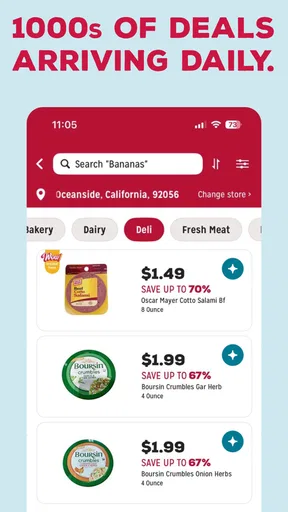
The Grocery Outlet Bargain Market app is designed to help shoppers stay connected with the retailer and discover available savings. Depending on the features offered in your region, you may be able to browse promotions, find nearby stores, check store information, and learn more about limited-time bargains. It is especially useful for planning a shopping trip, although product availability can vary by location.
Can I shop for groceries or place an order directly through the app?
The app’s shopping capabilities may differ from those of a traditional online grocery marketplace. Grocery Outlet is known for changing inventory and local bargains, so not every item is necessarily available for online ordering or delivery. Before downloading, users should check whether their local store supports features such as digital shopping, pickup, delivery, or online ordering, as availability may depend on location.
Does the app show the same products and prices available in every store?
No, users should not expect identical products or prices at every Grocery Outlet location. The retailer’s inventory is often based on opportunistic purchases, closeouts, overstocks, and regional deals, which means selection can change frequently. The app may provide general promotions or store details, but it should not be treated as a guaranteed, real-time catalog of everything available on a particular shelf.
Do I need to create an account to use Grocery Outlet Bargain Market?
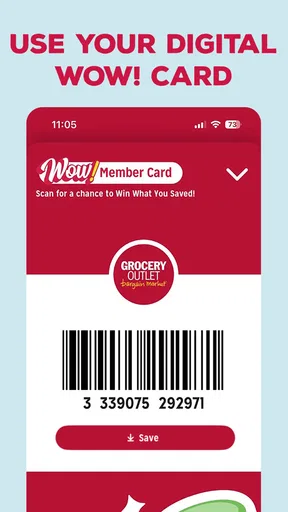
Some basic functions, such as viewing general information or locating a nearby store, may be available without registering. However, account creation could be required for personalized features, promotional communications, digital offers, or other services introduced by the retailer. When signing up, review the requested permissions and privacy information so you understand how your contact and account details may be used.
Is the Grocery Outlet Bargain Market app free to download and use?
The app is generally free to download from the official Android or iOS store, and you typically do not pay an installation fee. Nevertheless, normal mobile data charges may apply when browsing promotions, using location services, or accessing online content away from Wi-Fi. Any optional purchases, delivery charges, or third-party services should be reviewed separately before completing a transaction.


